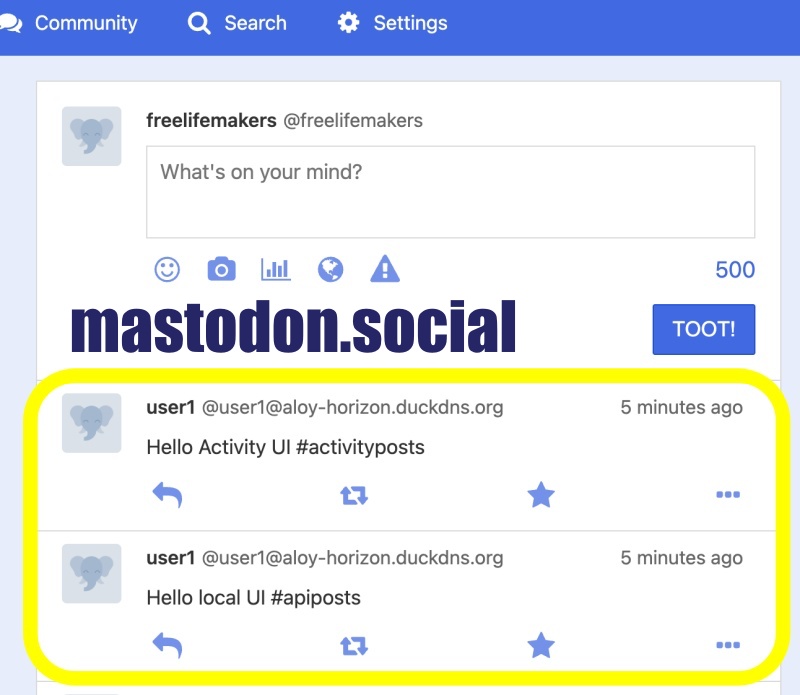
👉🏻 myapp61에서는 알림페이지에서 데이터가 중복 표시되는 문제를 수정 합니다.
In myapp61, the issue where data was displayed redundantly on the notification page is being fixed.
👉🏻 타임라인에서 데이터가 없으면 Home,Local,Federated 탭이 사라지는 문제를 수정합니다.
Fixes an issue where the Home, Local, and Federated tabs disappear when there is no data in the timeline.
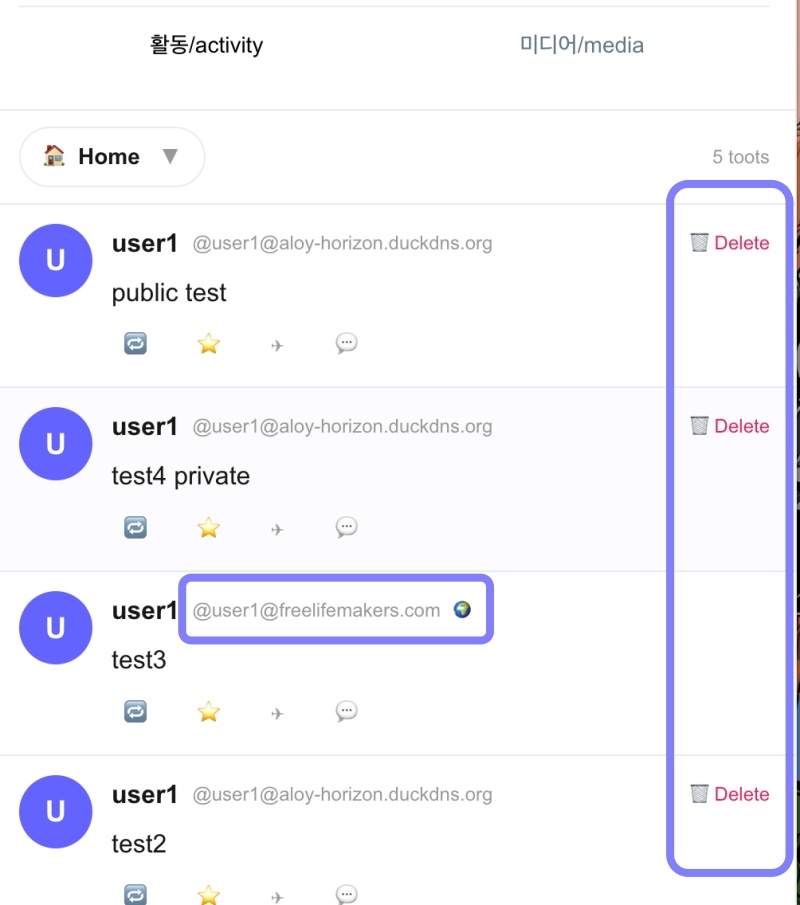
👉🏻 내가 작성하지 않은 글도 DELETE표시되는 문제를 수정합니다.
Fixes an issue where posts I did not write were marked for deletion.
👉🏻 전체 코드는 깃허브에서 확인 할 수 있습니다.
You can find the full code on GitHub.
https://github.com/gideonslife01/flm-nextjs
📁 전체 프로젝트 구조 / Overall Project Structure
myapp project/
├── app/  (Next.js App Router)
│   ├── .well-known/webfinger/route.ts  -> webfinger
│   ├── hooks/useCursorPagination.ts    -> Pagination Hook
│   ├── api/follow/route.ts    -> Follow API(temporary)
│   ├── api/announce/route.ts  -> Boost(Announcement)
│   ├── api/like/route.ts.     -> Like API
│   ├── api/posts/route.ts     -> Writing API(deprecated)
│   ├── api/timeline/route.ts  -> Timeline API
│   ├── api/followinglist/route.ts  -> followinglist API
│   ├── api/followerslist/route.ts  -> followerslist API
│   ├── api/v1/instance/route.ts -> auth
│   ├── api/v1/apps/route.ts.    -> auth
│   ├── api/v1/accounts/verify_credentials/route.ts -> auth
│   ├── api/v1/statuses/route.ts -> Write Post
│   ├── api/v1/timelines/_home_back/route.ts -> timeline(Depreacted)
│   ├── api/v1/media/route.ts -> Image upload
│   ├── api/v1/media/[id]/route.ts  -> Image Delete
│   ├── api/v1/instance/rules/route.ts -> Feature not implemented.
│   ├── api/v1/instance/domain_blocks/route.ts -> Feature not implemented.
│   ├── api/v1/filters/route.ts -> Feature not implemented.
│   ├── api/v1/lists/route.ts -> Feature not implemented.
│   ├── api/v1/announcements/route.ts -> Feature not implemented.
│   ├── api/v1/timelines/_public_back/route.ts -> Feature not implemented.(Deprecated)
│   ├── api/v1/timelines/[type]/route.ts -> Timeline API
│   ├── api/v1/statuses/[id]/context/route.ts -> Post Check,Delete
│   ├── oauth/authorize/route.ts -> auth
│   ├── oauth/token/route.ts -> auth
│   ├── oauth/login-and-authorize/route.ts -> Tursky,Pinafore login processing
│   ├── oauth/revoke/route.ts -> Feature not implemented.
│   ├── api/v1/search/home/route.ts -> search
│   ├── api/v2/search/home/route.ts -> search
│   ├── api/v2/notifications/policy/route.ts-> Feature not implemented.
│   ├── api/v1/accounts/[id]/followers/route.ts -> followers
│   ├── api/v1/accounts/[id]/following/route.ts -> following
│   ├── api/v1/statuses/[id]/route.ts  -> Post delete(pinafore)
│   ├── api/v1/statuses/[id]/favourite/route.ts -> favourite(for pinafore)
│   ├── api/v1/statuses/[id]/unfavourite/route.ts -> unfavourite(for pinafore)
│   ├── api/v1/statuses/[id]/reblog/route.ts  -> reblog[boost](for pinafore)
│   ├── api/v1/statuses/[id]/unreblog/route.ts  -> unreblog[unboost](for pinafore)
│   ├── api/auth/signup/route.ts        -> Website Signup
│   ├── api/auth/login/route.ts         -> Website Login
│   ├── api/auth/logout/route.ts        -> Website Logout
│   ├── api/auth/refresh/route.ts       -> Refresh Token
│   ├── api/cleanup-orphan/route.ts     -> post,outbox clean up
│   ├── api/auth/me/route.tsx           -> Login Check
│   ├── auth/signup/page.tsx            -> Signup UI
│   ├── auth/signup/page.tsx            -> Login UI
│   ├── users/[username]/
│   │   ├── statuses/[id]/route.ts -> Indivisual Post
│   │   ├── route.ts               -> Acotr Information
│   │   ├── followers/route.ts     -> Followers List
│   │   ├── following/route.ts     -> Following List
│   │   ├── inbox/route.ts         -> Inbox
│   │   └── outbox/route.ts        -> outbox
│   ├── usersui/[username]/
│   │   ├── page.tsx               -> Timeline UI(Server, 404)
│   │   ├── ClientPage.tsx.        -> Timeline UI(Client,Call Active Themes)
│   │   └── _components/themes/
│   │       ├── themeex/ThemeexTheme.tsx      -> Example Theme
│   │       ├── themeex/FollowersList.tsx     -> Theme Example, FollowersList
│   │       ├── themeex/FollowingList.tsx     -> Theme Example, FollowingList
│   │       ├── themeex/NotificationsList.tsx -> Theme Example, NotificationsList
│   │       ├── themeex/TimelineList.tsx      -> Theme Example, TimelineList
│   │       ├── pinafore/PinaforeTheme.tsx -> Theme 1
│   │       ├── pinafore/FollowersList.tsx -> Theme 1, FollowersList
│   │       ├── pinafore/FollowingList.tsx -> Theme 1, FollowingList
│   │       ├── pinafore/NotificationsList.tsx -> Theme 1, NotificationsList
│   │       ├── pinafore/TimelineList.tsx  -> Theme 1, TimelineList
│   │       ├── mastodon/MastodonTheme.tsx -> Theme 2
│   │       └── minimal/MinimaltTheme.tsx  -> Theme 3
│   ├── layout.tsx, page.tsx, globals.css
│   └── favicon.ico
├── lib/
│   ├── theme.tsx              -> Theme Provider
│   ├── watchThemes.ts         -> Check real-time theme changes
│   ├── auth.ts                -> Authentication, User Management
│   ├── ap.ts                  -> Follow,Undo,Create,Likes,Announce
│   ├── visibility.ts          -> Visibility(Public,Unlisted,Private,Direct)
│   └── db.ts                  -> DB connection
├── data/
│   ├── keys/userIDs/          -> private.pem, public.pem(New)
│   └── keys/                  -> private.pem, public.pem(legacy)
├── data.sqlite                -> Database(1/3)
├── data.sqlite-wal            -> Database(2/3)
├── data.sqlite-shm            -> Database(3/3)
├── Caddyfile                  -> https
├── instrumentation.ts         -> Background Server
├── proxy.ts                   -> middleware.ts - >proxy.ts(for Nextjs16)
├── postcss.config.mjs         -> for Nextjs16
└── package.json
📁 프로젝트 시작 / Project Start
📁 코드 수정 / Code Modification
✔️ 타임라인에서 데이터가 없으면 탭사라지는 오류 수정
Fixed an error where the tab would disappear when there was no data in the timeline.
✔️ 로그인하지 않으면 홈탭은 로컬API를 호출
If not logged in, the Home tab calls the local API
— app/usersui/[username]/_components/themes/Themeex/TimelineList.tsx
  const {
    flatData,
    fetchNextPage,
    hasNextPage,
    isFetchingNextPage,
  } = useCursorPagination({
... ...

      // ✅ myapp61 - API 주소 수정 / modify API Address
      // - fetcher 안에서 직접 로그인 여부 체크 하기 / Check login status directly within the fetcher.
      let me: string | null = null;
      try {
        const meRes = await fetch(`/api/auth/me`, { credentials: 'include', cache: 'no-store' });
        if (meRes.ok) {
          const j = await meRes.json();
          me = j.username || null;
        }
      } catch {}

      const effectiveUser = me || currentUser;

      let url = '';
      if (tab === 'home') {
        if (effectiveUser) {
          url = `/api/v1/timelines/home?${params.toString()}`;
        } else {
          params.set('local', 'true');
          url = `/api/v1/timelines/public?${params.toString()}`;
        }
      } else if (tab === 'local') {
        params.set('local', 'true');
        url = `/api/v1/timelines/public?${params.toString()}`;
      } else {
        url = `/api/v1/timelines/public?${params.toString()}`;
      }
... ...
  });

  // if (data.length === 0) {
  //   return <div className="p-5 text-[#999]">타임라인이 비어있습니다 / No posts</div>;
  // }

  return ( ... ...

      {/* ✅ myapp61 - No posts는 selector 아래에 표시 / "No posts" is displayed below the selector. */}
      {data.length === 0 && (
        <div className="p-10 text-center text-[#999]">타임라인이 비어있습니다 / No posts in {tab}</div>
      )}
... ...
);
1)로그인 부분은 서버가 아닌 클라이언트 부분에서는 getUser함수로 인증 체크할 수 없음
Regarding the login functionality, authentication cannot be verified using the getUser function on the client side; this must be handled on the server side.
2)클라이언트는 인증 확인을 위해 /api/auth/me 라우트 사용함
The client uses the /api/auth/me route to verify authentication.
3)로그인 한 경우 home라우트 로그인하지 않으면 public라우트로 이동
If logged in, navigate to the home route; if not logged in, navigate to the public route.
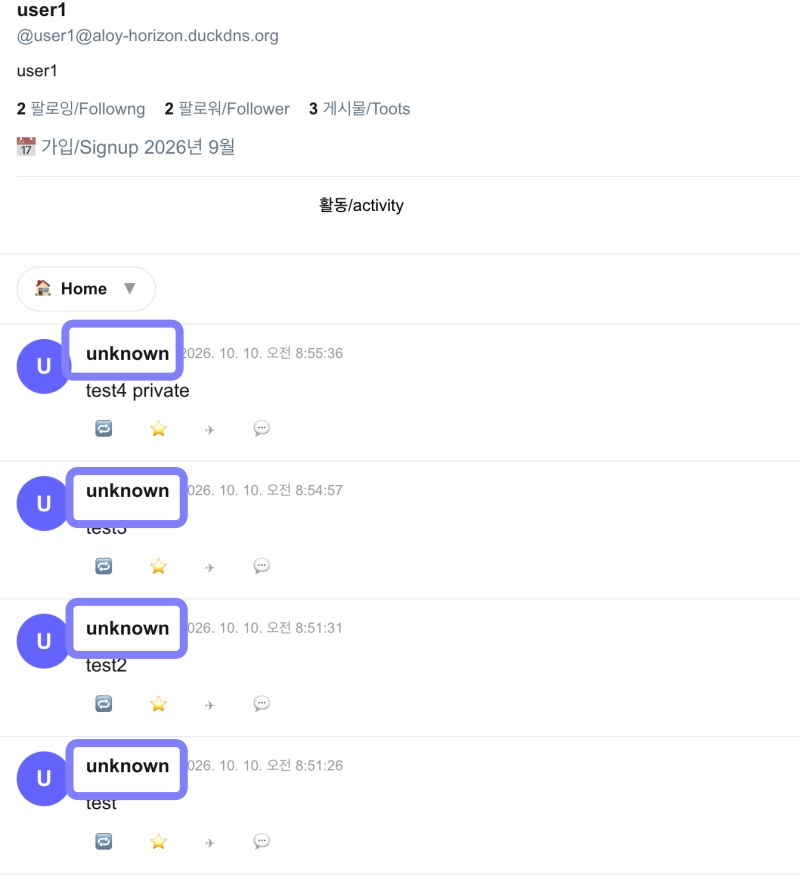
✔️ 타임라인 Unknown 및 오류 / Timeline Unknown and Errors
— app/api/v1/timelines/[type]/route.ts
1)타임라인 API에서 acct값을 잘못 줘서 발생하는 오류
An error caused by providing an incorrect ‘acct’ value in the Timeline API.
    return {
      id: String(row.id),
      uri: longId, url: longId,
      account: {
        // id: isMy ? accountId : `remote_${row.username}`, ✅ myapp61
        id: isMy ? accountId : `remote_${row.username}@${acctDomain}`,
        username: row.username,
        // acct: `${row.username}@${DOMAIN}`, ✅ myapp61
        acct: displayAcct,
        //display_name: row.username,
        display_name: accountUsername,
        avatar: `https://${DOMAIN}/icon.png`, avatar_static: `https://${DOMAIN}/icon.png`,
        header: `https://${DOMAIN}/header.png`, header_static: `https://${DOMAIN}/header.png`,
      },
... ...
}
✔️ FollowingList,FollowerList UI 오류/error
— app/usersui/[username]/_components/theme/pinafore/FollowingList.tsx
— app/usersui/[username]/_components/theme/pinafore/FollowersList.tsx
 <div className="w-9 h-9 rounded-full bg-[#6364ff] text-white flex items-center justify-center font-extrabold shrink-0">
... ...
          {/* <button className="ml-auto px-3 py-1 bg-[#6364ff] text-white rounded-full text-xs font-bold hover:bg-[#5556ee]">
            Following
          </button> */} --> or Delete
# v1 API
https://aloy-horizon.duckdns.org/api/v1/timelines/public
https://aloy-horizon.duckdns.org/api/v1/timelines/public?local=true
# pinafore 테마에서 사용하는 이전 API
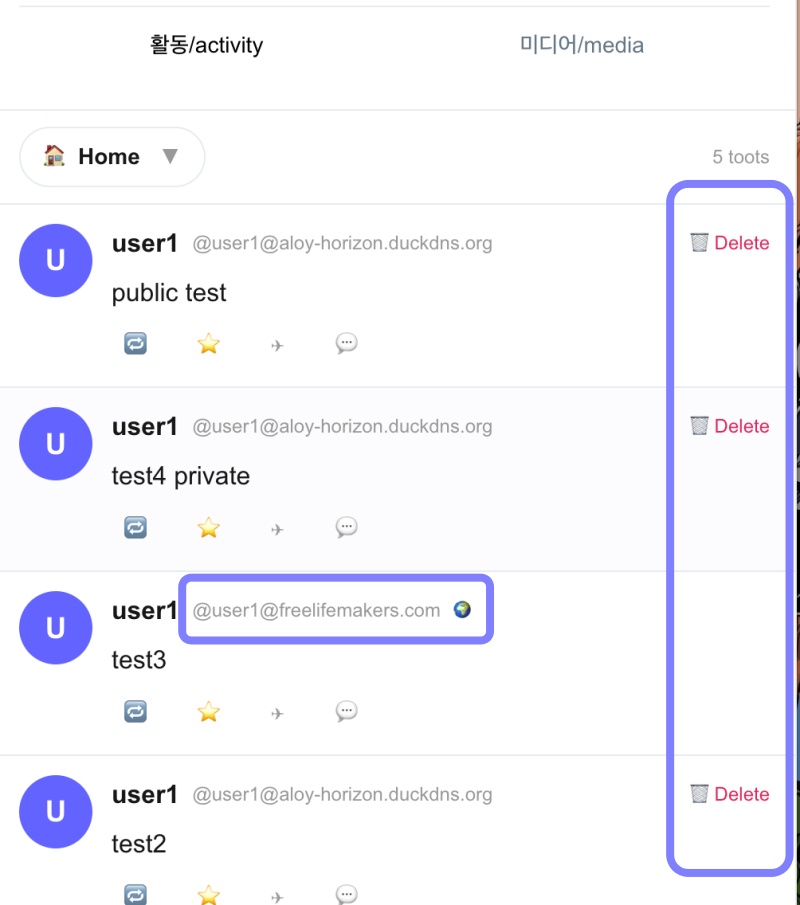
https://aloy-horizon.duckdns.org/api/timeline?username=user1&type=home✔️ 리모트 글에도 DELETE버튼 보이는것 수정
Fixed the issue where the DELETE button was visible on remote posts.
— 로그인 후 내가 작성한 글에만 DELETE버튼 보임
The DELETE button appears only on posts I have written after logging in.
      // ✅ myapp61
      const withMine = arr.map((p:any) => {
        const acct = p.account?.acct || '';
        const username = p.account?.username || p.username || '';
        const acctDomain = acct.includes('@')? acct.split('@')[1] : DOMAIN;
        const isLocalAccount = acctDomain === DOMAIN;

        return {
        ...p,
          isMine:!!(currentUser && isLocalAccount && username === currentUser)
        };
      });
... ...
  {/* {currentUser && isMine && (
                  <button onClick={() => onDelete(p.id)} className="text-[#e0245e] ml-auto text-xs hover:underline">
                    🗑 Delete
                  </button>
                )} */}
                {/* ✅ myapp61 */}
                {isMine && (
                  <button onClick={() => onDelete(p.id)} className="text-[#e0245e] ml-auto text-xs">
                    🗑 Delete
                  </button>
                )}
✔️ SNS페이지가 처음 실행될떄 타임라인이 비어있는 걸로 표시되는 오류
An error where the timeline appears empty when the social media page is first launched.
— app/usersui/[username]/ClientPage.tsx
  // ✅ myapp60 + myapp61
  // - 페이지네이션은 TimelineList가 담당, 여기선 빈 배열로 시작
  // - Pagination is handled by TimelineList; start with an empty array here.
  useEffect(() => {
    if (!username) return;
    //setTimeline([]);
    setLoading(false);
  }, [username]);
📁 테스트 / Test
✔️ Unknown error
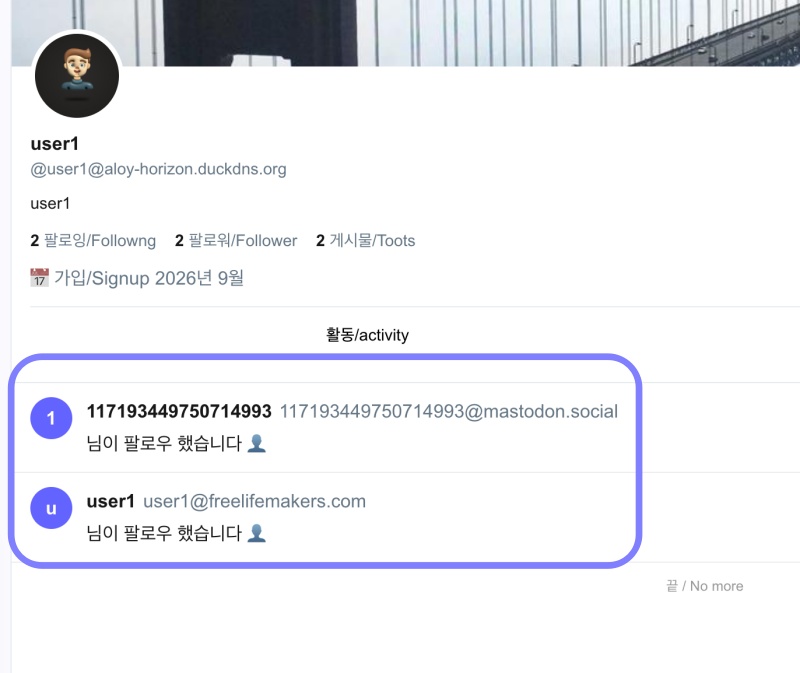
✔️ 팔로잉,팔로워리스트 UI 오류,알림데이터 중복 처리
UI errors in following/follower lists; handling of duplicate notification data.
✔️ 리모트 서버 삭제금지,액터 정확히 표시,리모트 서버아이콘표시
Prevent remote server deletion, display actors accurately, show remote server icons.
마태복음 21장 22절 / Matthew 21: 22
“너희가 기도할 때에 무엇이든지 믿고 구하는 것은 다 받으리라 하시니라”
“And everything you ask in prayer, believing, you will receive.”