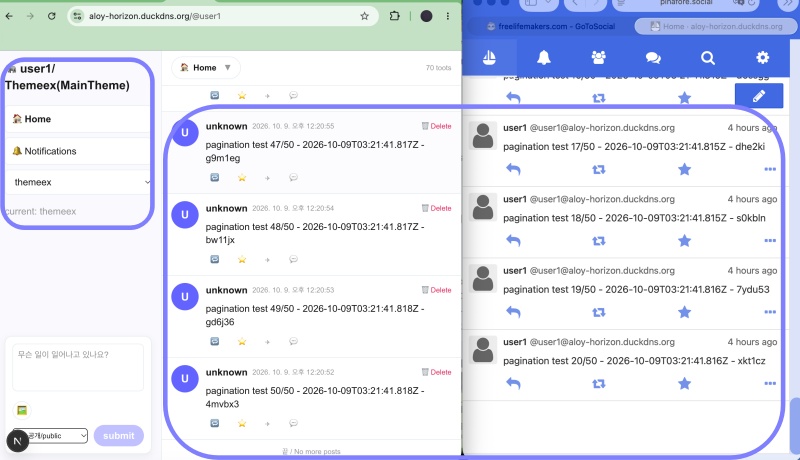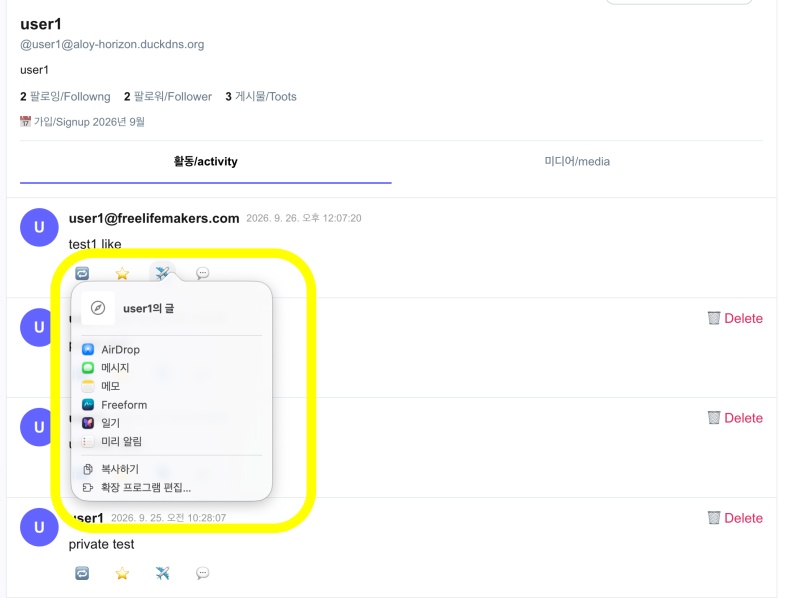
👉🏻 myapp50에서는 테마에 공유기능을 추가 합니다.
myapp50 adds a sharing feature to the theme.
👉🏻 myapp50부터는 로컬서버에서 터미널로 글 작성하고 글 삭제할 때 토큰을 입력해야합니다.
Starting with myapp50, you must enter a token when creating or deleting posts via the terminal on the local server.
👉🏻 전체 코드는 깃허브에서 확인 할 수 있습니다.
You can find the full code on GitHub.
https://github.com/gideonslife01/flm-nextjs
📁 전체 프로젝트 구조 / Overall Project Structure
myapp project/
├── app/  (Next.js App Router)
│   ├── .well-known/webfinger/route.ts  -> webfinger
│   ├── api/follow/route.ts    -> Follow API(temporary)
│   ├── api/announce/route.ts  -> Boost(Announcement)
│   ├── api/like/route.ts.     -> Like API
│   ├── api/posts/route.ts     -> Writing API
│   ├── api/timeline/route.ts  -> Timeline API
│   ├── api/followinglist/route.ts  -> followinglist API
│   ├── api/followerslist/route.ts  -> followerslist API
│   ├── api/v1/instance/route.ts -> auth
│   ├── api/v1/apps/route.ts.    -> auth
│   ├── api/v1/accounts/verify_credentials/route.ts -> auth
│   ├── api/v1/statuses/route.ts -> Write Post
│   ├── api/v1/timelines/home/route.ts -> timeline
│   ├── oauth/authorize/route.ts -> auth
│   ├── oauth/token/route.ts -> auth
│   ├── api/v1/search/home/route.ts -> search
│   ├── api/v2/search/home/route.ts -> search
│   ├── api/v1/accounts/[id]/followers/route.ts -> followers
│   ├── api/v1/accounts/[id]/following/route.ts -> following
│   ├── api/v1/statuses/[id]/route.ts -> -> Post delete(pinafore)
│   ├── api/auth/signup/route.ts        -> Signup
│   ├── api/auth/login/route.ts         -> Login
│   ├── api/auth/logout/route.ts        -> Logout
│   ├── api/auth/refresh/route.ts       -> Refresh Token
│   ├── api/cleanup-orphan/route.ts     -> post,outbox clean up
│   ├── api/auth/me/route.tsx           -> Login Check
│   ├── auth/signup/page.tsx            -> Signup UI
│   ├── auth/signup/page.tsx            -> Login UI
│   ├── users/[username]/
│   │   ├── statuses/[id]/route.ts -> Indivisual Post
│   │   ├── route.ts               -> Acotr Information
│   │   ├── followers/route.ts     -> Followers List
│   │   ├── following/route.ts     -> Following List
│   │   ├── inbox/route.ts         -> Inbox
│   │   └── outbox/route.ts        -> outbox
│   ├── usersui/[username]/
│   │   ├── page.tsx               -> Timeline UI(Server, 404)
│   │   ├── ClientPage.tsx.        -> Timeline UI(Client,Call Active Themes)
│   │   └── _components/themes/
│   │       ├── themeex/ThemeexTheme.tsx   -> Example Theme
│   │       ├── pinafore/PinaforeTheme.tsx -> Theme 1
│   │       ├── pinafore/FollowersList.tsx -> Theme 1, FollowersList
│   │       ├── pinafore/FollowingList.tsx -> Theme 1, FollowingList
│   │       ├── pinafore/NotificationsList.tsx -> Theme 1, NotificationsList
│   │       ├── mastodon/MastodonTheme.tsx -> Theme 2
│   │       └── minimal/MinimaltTheme.tsx  -> Theme 3
│   ├── layout.tsx, page.tsx, globals.css
│   └── favicon.ico
├── lib/
│   ├── theme.tsx              -> Theme Provider
│   ├── watchThemes.ts         -> Check real-time theme changes
│   ├── auth.ts                -> Authentication, User Management
│   ├── ap.ts                  -> Follow,Undo,Create,Likes,Announce
│   ├── visibility.ts          -> Visibility(Public,Unlisted,Private,Direct)
│   └── db.ts                  -> DB connection
├── data/
│   ├── keys/userIDs/          -> private.pem, public.pem(New)
│   └── keys/                  -> private.pem, public.pem(legacy)
├── data.sqlite                -> Database(1/3)
├── data.sqlite-wal            -> Database(2/3)
├── data.sqlite-shm            -> Database(3/3)
├── Caddyfile                  -> https
├── instrumentation.ts         -> Background Server
└── package.json
📁 프로젝트 시작 / Project Start
📁 코드 수정 / Code modification
✔️ 공유 기능 추가 / Added sharing feature
— app/usersui/[username]/ClientPage.tsx
... ...
  // ✅ myapp50 - 공유 기능 - (ActivityPub이랑 상관없음)
  // Sharing feature - (Unrelated to ActivityPub)
  const handleShare = async (post: any) => {
    const latest = timelineRef.current.find((p: any) => p.id === post.id) || post;
    const DOMAIN = process.env.NEXT_PUBLIC_DOMAIN || 'aloy-horizon.duckdns.org';

    let url = latest.original_id || latest.id;
    if (!url.startsWith('http')) {
      url = `https://${DOMAIN}/users/${latest.username}/statuses/${url}`;
    }

    const shareUrl = url.includes('/statuses/')? url : `https://${DOMAIN}/users/${latest.username}/statuses/${latest.id}`;

    const text = latest.content? latest.content.replace(/<[^>]*>/g, '').slice(0, 100) : '';

    // 1. 모바일 - 네이티브 공유 시트 (카톡, 텔레그램, 에어드랍 자동)
    // Mobile – Native share sheet (KakaoTalk, Telegram, AirDrop supported automatically)
    if (navigator.share) {
      try {
        await navigator.share({
          title: `${latest.username}의 글`,
          text: text,
          url: shareUrl
        });
        return { ok: true, method: 'native' };
      } catch (e) {
        // 취소한 경우 무시
        console.log('share cancelled', e);
      }
    }

    // 2. PC 폴백 - 클립보드 복사
    // PC Fallback - Copy to Clipboard
    try {
      await navigator.clipboard.writeText(shareUrl);
      alert(`🔗 링크 복사됨\n${shareUrl}`);
      return { ok: true, method: 'clipboard' };
    } catch {
      // 클립보드도 막힌 경우
      prompt('링크 복사:', shareUrl);
      return { ok: true, method: 'prompt' };
    }
  };
... ...
  // ✅ myapp50 - handleShare를 onShare에 추가해서 테마로 넘김
  // Added handleShare to onShare and passed it to the theme.
  const props = { timeline, username, initialView, onBoost: handleBoost, onLike: handleLike, onShare: handleShare };
... ...
— app/usersui/[username]/_components/themes/pinafore/PinaforeTheme.tsx
... ...
export function PinaforeTheme({ timeline : initialTimeline, username, initialView, onBoost, onLike, onShare }: any) {
... ...
     <div className="status-actions">
           <button onClick={() => onBoost(p)} className={p.isMyBoost? 'boosted' : ''}>🔁 {p.boostCount || ''}</button>
           <button onClick={() => onLike(p)} className={p.isMyLike? 'liked' : ''}>⭐ {p.likeCount || ''}</button>
            <button onClick={() => onShare(p)}>✈️</button> {/* ✅ myapp50 - Share */}
            <button>💬</button>
      </div>
... ...
}
✔️ 글쓰기,글삭제 보안강화(로컬서버)
Enhanced security for posting and deleting content (local server)
— app/api/posts/route.ts
// ✅ myapp50 - 공통 인증 함수 - refresh_token(쿠키) + Bearer 둘 다 체크
// Common authentication function – checks for both refresh_token (cookie) and Bearer token.
function getAuthenticatedUser(req: Request): string | null {
  // 1. Bearer 토큰 (Pinafore, curl)
  const auth = req.headers.get('Authorization') || '';
  const token = auth.replace('Bearer ', '').trim();
  if (token) {
    try {
      const oauth = db.prepare('SELECT username FROM oauth_tokens WHERE access_token=?').get(token) as any;
      if (oauth?.username) return oauth.username;
    } catch {}
  }
  // 2. refresh_token 쿠키 (웹 UI)
  try {
    const viewer = getViewerFromRequest(req as any);
    if (viewer) return viewer;
  } catch {}
  return null;
}
... ...
export async function POST(req: Request) {

  let { content,visibility } = await req.json();
  // ✅ myapp48 - visibility default value
  visibility = visibility || 'public';

  // ✅ myapp45 - apply token - deleted myapp50
  // const auth = req.headers.get('Authorization') || '';
  // const token = auth.replace('Bearer ', '').trim();
  // if (token) {
  //   const oauth = db.prepare('SELECT username FROM oauth_tokens WHERE access_token=?').get(token) as any;
  //   if (oauth?.username) username = oauth.username; // 토큰 있으면 토큰 유저로 덮어쓰기!
  // }

   // ✅ myapp50 - 바디 username 절대 신뢰 금지, 인증된 유저만 사용
   // Never blindly trust usernames; use only verified users.
  const username = getAuthenticatedUser(req);
... ...
}
✔️ 글쓰기 삭제는 v1/statuses/route.ts로 설정
Post deletion is configured in v1/statuses/route.ts.
— 기존 posts/route.ts는 삭제함.
Deleted the existing posts/route.ts.
const handleDelete = async (postId: string) => {
  if (!confirm('삭제할까? / Delete?')) return;
  try {
    const token = localStorage.getItem('access_token') || localStorage.getItem('token') || '';
    const res = await fetch(`/api/v1/statuses/${postId}`, {
      method: 'DELETE',
      headers: {
        ...(token? { Authorization: `Bearer ${token}` } : {})
      },
      credentials: 'include' // refresh_token 쿠키 포함
    });
    if (res.ok) {
      setTimeline((prev: any[]) => prev.filter((t: any) => t.id !== postId && t.original_id !== postId));
      console.log(`🗑 Delete ${postId} ok`);
    } else {
      const err = await res.json().catch(()=>({}));
      console.error('delete fail', err);
      alert(`삭제 실패: ${err.error || res.status}`);
    }
  } catch (e) {
    console.error(e);
    alert('삭제 실패 / Deletion failed');
  }
};
📁 테스트 / Test
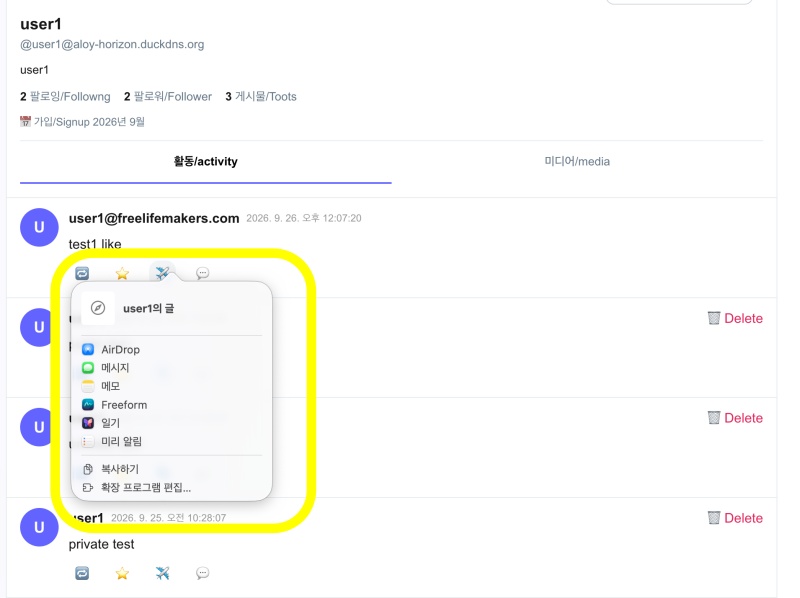
✔️ 공유기능 / Sharing feature
✔️ 이 로컬 서버 부분은 나중에 삭제 될 수도 있음(v1/statues 와 기능 중복)
This local server section might be removed later.(Functionality overlaps with v1/statues)
✔️ 아래는 사용하지 않지만 라우트가 존재하지 때문에 토큰 입력으로 보안설정을 강화합니다.
Although the route below is not currently in use, it exists, so security settings are being strengthened by requiring a token for access.
✔️ 토큰 없이 터미널에서 글쓰기 한경우(로컬 서버)
Writing in the terminal without a token (local server)
# Terminal
curl -s -X POST https://aloy-horizon.duckdns.org/api/posts \
  -H "Content-Type: application/json" \
  -d '{"content":"No token test"}'

# response
{"error":"로그인 필요 / username required"}
✔️ 토큰으로 글쓰기 한경우(로컬 서버)
Writing posts using a token (local server)
# Terminal
curl -X POST https://aloy-horizon.duckdns.org/api/posts \
  -H "Cookie: refresh_token=099b61b8616edcf48b4... ..." \
  -H "Content-Type: application/json" \
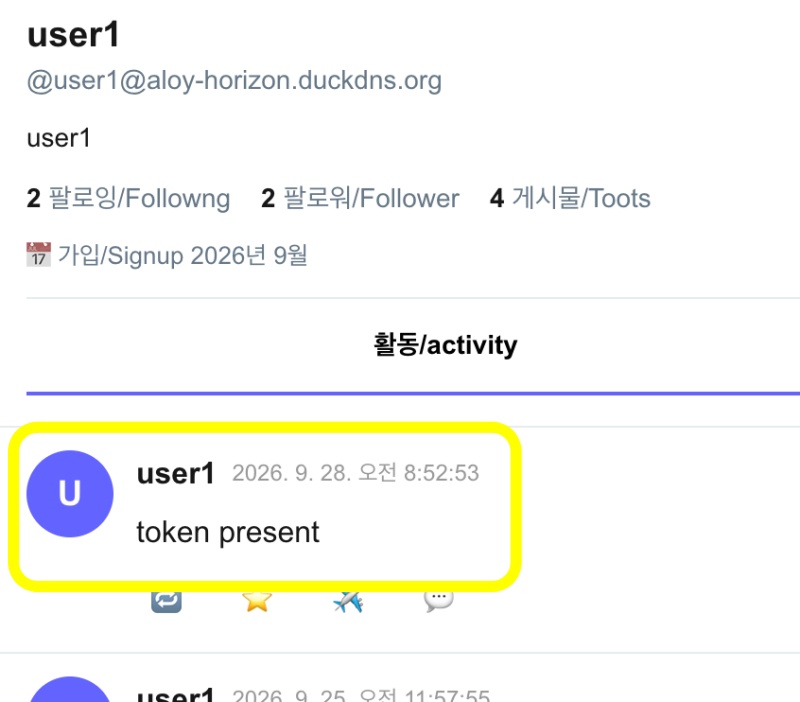
  -d '{"content":"token present"}'

# response
{"id":"f0cba853-5fa3-4f28-bc44-6a367a78d0b3","content":"token present","created_at":1790553173171,"username":"user1","visibility":"public","original_id":null,"sensitive":0}%
✔️ 터미널에서 토큰 없이 삭제 시도한 경우
When attempting deletion without a token in the terminal
# Terminal
curl -s -X DELETE https://aloy-horizon.duckdns.org/api/posts \
 -H "Content-Type: application/json" \
 -d '{"username":"user1","id":"f0cba853-5fa3-4f28-bc44-6a367a78d0b3"}'

# response
{"error":"unauthorized - username required"}%
✔️ 터미널에서 토큰으로 삭제하는 경우
When deleting using a token in the terminal
# Terminal
curl -s -X DELETE https://aloy-horizon.duckdns.org/api/posts \
 -H "Cookie: refresh_token=099b61b8616edcf48b4 ... ...." \
 -H "Content-Type: application/json" \
 -d '{"username":"user1","id":"f0cba853-5fa3-4f28-bc44-6a367a78d0b3"}'

# response
{"ok":true,"deletedId":"f0cba853-5fa3-4f28-bc44-6a367a78d0b3"}%
요한복음 8장 32절 / John 8:32
“그리고 너희는 진리를 알게 될 것이며, 진리가 너희를 자유롭게 할 것이다.”
“Then you will know the truth ,and the truth will set you free”