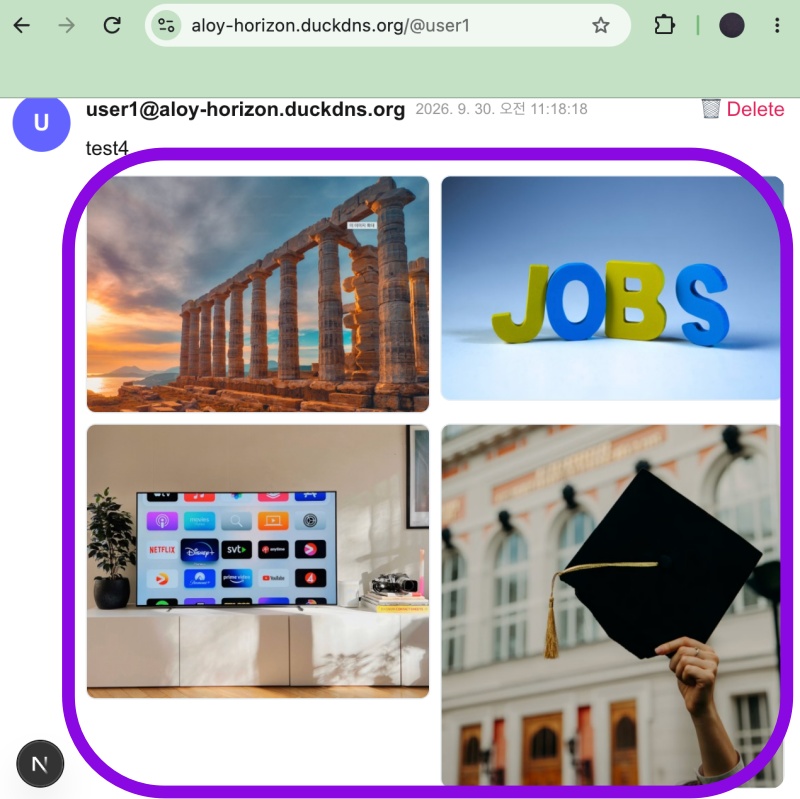
👉🏻 myapp52에서는 글 작성 후 이미지 삭제 부분을 구현합니다.
In myapp52, we are implementing the image deletion feature for posts.
👉🏻 글 작성하면서 이미지 첨부하고 서버 오류나 브라우저 새로고침시 고아파일이 발생합니다.
Orphaned files are created when attaching images while writing a post if a server error occurs or the browser is refreshed.
👉🏻 api/clenup-orphan 라우트를 이용해서 정리할 수 있습니다.
You can clean them up using the api/cleanup-orphan route.
👉🏻 전체 코드는 깃허브에서 확인 할 수 있습니다.
You can find the full code on GitHub.
https://github.com/gideonslife01/flm-nextjs
📁 전체 프로젝트 구조 / Overall Project Structure
myapp project/
├── app/  (Next.js App Router)
│   ├── .well-known/webfinger/route.ts  -> webfinger
│   ├── api/follow/route.ts    -> Follow API(temporary)
│   ├── api/announce/route.ts  -> Boost(Announcement)
│   ├── api/like/route.ts.     -> Like API
│   ├── api/posts/route.ts     -> Writing API(deprecated)
│   ├── api/timeline/route.ts  -> Timeline API
│   ├── api/followinglist/route.ts  -> followinglist API
│   ├── api/followerslist/route.ts  -> followerslist API
│   ├── api/v1/instance/route.ts -> auth
│   ├── api/v1/apps/route.ts.    -> auth
│   ├── api/v1/accounts/verify_credentials/route.ts -> auth
│   ├── api/v1/statuses/route.ts -> Write Post
│   ├── api/v1/timelines/home/route.ts -> timeline
│   ├── api/v1/media/route.ts -> Image upload
│   ├── api/v1/media/[id]/route.ts  -> Image Delete
│   ├── oauth/authorize/route.ts -> auth
│   ├── oauth/token/route.ts -> auth
│   ├── api/v1/search/home/route.ts -> search
│   ├── api/v2/search/home/route.ts -> search
│   ├── api/v1/accounts/[id]/followers/route.ts -> followers
│   ├── api/v1/accounts/[id]/following/route.ts -> following
│   ├── api/v1/statuses/[id]/route.ts -> -> Post delete(pinafore)
│   ├── api/auth/signup/route.ts        -> Signup
│   ├── api/auth/login/route.ts         -> Login
│   ├── api/auth/logout/route.ts        -> Logout
│   ├── api/auth/refresh/route.ts       -> Refresh Token
│   ├── api/cleanup-orphan/route.ts     -> post,outbox clean up
│   ├── api/auth/me/route.tsx           -> Login Check
│   ├── auth/signup/page.tsx            -> Signup UI
│   ├── auth/signup/page.tsx            -> Login UI
│   ├── users/[username]/
│   │   ├── statuses/[id]/route.ts -> Indivisual Post
│   │   ├── route.ts               -> Acotr Information
│   │   ├── followers/route.ts     -> Followers List
│   │   ├── following/route.ts     -> Following List
│   │   ├── inbox/route.ts         -> Inbox
│   │   └── outbox/route.ts        -> outbox
│   ├── usersui/[username]/
│   │   ├── page.tsx               -> Timeline UI(Server, 404)
│   │   ├── ClientPage.tsx.        -> Timeline UI(Client,Call Active Themes)
│   │   └── _components/themes/
│   │       ├── themeex/ThemeexTheme.tsx   -> Example Theme
│   │       ├── pinafore/PinaforeTheme.tsx -> Theme 1
│   │       ├── pinafore/FollowersList.tsx -> Theme 1, FollowersList
│   │       ├── pinafore/FollowingList.tsx -> Theme 1, FollowingList
│   │       ├── pinafore/NotificationsList.tsx -> Theme 1, NotificationsList
│   │       ├── mastodon/MastodonTheme.tsx -> Theme 2
│   │       └── minimal/MinimaltTheme.tsx  -> Theme 3
│   ├── layout.tsx, page.tsx, globals.css
│   └── favicon.ico
├── lib/
│   ├── theme.tsx              -> Theme Provider
│   ├── watchThemes.ts         -> Check real-time theme changes
│   ├── auth.ts                -> Authentication, User Management
│   ├── ap.ts                  -> Follow,Undo,Create,Likes,Announce
│   ├── visibility.ts          -> Visibility(Public,Unlisted,Private,Direct)
│   └── db.ts                  -> DB connection
├── data/
│   ├── keys/userIDs/          -> private.pem, public.pem(New)
│   └── keys/                  -> private.pem, public.pem(legacy)
├── data.sqlite                -> Database(1/3)
├── data.sqlite-wal            -> Database(2/3)
├── data.sqlite-shm            -> Database(3/3)
├── Caddyfile                  -> https
├── instrumentation.ts         -> Background Server
└── package.json
📁 프로젝트 시작 / Project Start
📁 코드수정 / Code Modification
✔️ app/api/v1/statuses/[id]/route.ts
— 이미지 삭제 기능 추가 / Added image deletion feature.
import fs from 'fs';     // ✅ myapp52
import path from 'path'; // ✅ myapp52
... ...

const UPLOAD_DIR = path.join(process.cwd(), 'public', 'uploads'); // ✅ myapp52

export async function DELETE(
  req: Request,
  { params }: { params: Promise<{ id: string }> }
) {
... ...

  if (!post) { // ✅ myapp52
    return NextResponse.json({ id, deleted: true, alreadyDeleted: true },//{ error: 'not found' }, { status: 404 } error?
    {
      headers: { 'Access-Control-Allow-Origin': '*', 'Access-Control-Allow-Headers': '*' }
    });
  }

  if (post.username !== username) {
    console.log(`🚫 삭제 거부/Refusal to delete: ${username}가 ${post.username} 글 삭제 시도`);
    return NextResponse.json({ error: 'forbidden - not your post' }, {
      status: 403,
      headers: { 'Access-Control-Allow-Origin': '*' }
    });
  }

// ✅ myapp52
  // -  연결된 미디어(이미지) 찾기 / Find linked media (images)
  const medias = db.prepare(`
      SELECT ma.* FROM media_attachments ma
      JOIN post_media pm ON pm.media_id = ma.id
      WHERE pm.post_id = ? AND ma.username = ?
  `).all(id, username) as any[];

  // ✅ myapp52 -  트랜잭션으로 DB 정리 / Clean up DB with transactions
  // - DB에 CASCADE 있으나 확인 삭제 / Check for and delete CASCADE settings in the DB.
  const tx = db.transaction(() => {
    // post_media 먼저 / first post_media
    db.prepare('DELETE FROM post_media WHERE post_id=?').run(id);
    // media_attachments
    if (medias.length > 0) {
      const placeholders = medias.map(() => '?').join(',');
      db.prepare(`DELETE FROM media_attachments WHERE id IN (${placeholders}) AND username=?`)
      .run(...medias.map(m => m.id), username);
    }
    // delete posts
    db.prepare('DELETE FROM posts WHERE id=? AND username=?').run(id, username);
    // delete outbox
    db.prepare('DELETE FROM outbox WHERE object LIKE ?').run(`%/${id}%`);
    // delete inbox_posts
    try { db.prepare('DELETE FROM inbox_posts WHERE original_id LIKE ? OR id LIKE ?').run(`%${id}%`, `%${id}%`); } catch {}
  });
  tx();

    // ✅ myapp52 - 실제 파일 삭제 / Actual file deletion
    for (const m of medias) {
      try {
        // m.url = https://aloy-horizon.duckdns.org/uploads/xxx.jpg
        // or /uploads/xxx.jpg
        const filename = path.basename(new URL(m.url, `https://${DOMAIN}`).pathname);
        const filePath = path.join(UPLOAD_DIR, filename);
        if (fs.existsSync(filePath)) {
          fs.unlinkSync(filePath);
          console.log(`🗑 file deleted: ${filename}`);
        }
      } catch (e) {
        console.error('file delete fail', m.id, e);
      }
    }
... ...
}
✔️ app/api/v1/media/route.ts
— 파일 업로드 갯수 제한 설정(4개), 파일 업로드 용량제한 설정(1MB),이미지 파일만 업로드 설정
Set file upload limit (4 files), set file upload size limit (1MB), and restrict uploads to image files only.
// ✅ myapp52 - 파일 허용 타입 + 파일 갯수 제한 + 파일 업로드 용량 제한
// Allowed file types + File count limit + File upload size limit
const ALLOWED_MIMES = ['image/jpeg', 'image/png', 'image/gif', 'image/webp'];
const MAX_FILE_SIZE = 1 * 1024 * 1024; // 1MB(10 * 1024 * 1024 = 10MB)
const MAX_FILES_PER_USER_PENDING = 4; // 글에 첨부 가능한 이미지는 4개까지만 허용 / A maximum of four images can be attached to the post.


export async function POST(req: Request) {
  // ✅ myapp52 - 파일 갯수 제한 / File count limit
  try {
    const pending = db.prepare(`
      SELECT COUNT(*) as c FROM media_attachments
      WHERE username=? AND id NOT IN (SELECT media_id FROM post_media)
    `).get(username) as any;
    if (pending.c >= MAX_FILES_PER_USER_PENDING) {
      return NextResponse.json({error:`이미지 ${MAX_FILES_PER_USER_PENDING}개까지만 업로드 가능 - 먼저 글을 쓰거나 삭제하세요\n`}, {status:400});
    }
  } catch {}
... ...
  // ✅ myapp52 - 파일 용량 제한 / File size limit
  if (file.size === 0) return NextResponse.json({error:'empty file'}, {status:400});
  if (file.size > MAX_FILE_SIZE) return NextResponse.json({error:`${MAX_FILE_SIZE/1024/1024}MB 이하만 (현재 ${(file.size/1024/1024).toFixed(2)}MB)`}, {status:413});

  // ✅ myapp52 - 마임타입 체크(파일 타입체크) / MIME type check (file type check)
    if (!ALLOWED_MIMES.includes(file.type)) {
    return NextResponse.json({error:`허용 안됨: ${file.type}. 허용: ${ALLOWED_MIMES.join(', ')}`}, {status:400});
  }
... ...
  // const ext = file.name.split('.').pop() || 'jpg';
  // ✅ myapp52 - 파일 확장자 위조 방어 / Protection against file extension spoofing
  const ext = file.type === 'image/jpeg'? 'jpg' : file.type.split('/')[1]; // png, gif, webp
  if (!['jpg','png','gif','webp'].includes(ext)) {
    return NextResponse.json({error:'invalid extension'}, {status:400});
  }
}
✔️ app/api/v1/media/[id]/route.ts – 라우트 추가 / Add route
— 테마UI에 이미지 선택후 선택 취소시 삭제 하는 기능
Function to delete an image when it is deselected in the theme UI.
— 깃허브 전체 코드 참조 / Refer to the full code on GitHub.
import db from '@/lib/db';
import fs from 'fs';
import path from 'path';
import { NextResponse } from 'next/server';

const UPLOAD_DIR = path.join(process.cwd(), 'public', 'uploads');

function getUser(req: Request) {
... ...
}
export async function DELETE(req: Request, { params }: { params: Promise<{ id: string }> }) {
... ...
}
✔️ app/usersui/[username]/_components/themes/pinafore/PinaforeTheme.tsx
— 이미지 삭제(프리뷰,서버) / Delete image (preview, server)
... ...
// ✅ myapp52 - 이미지 삭제(프리뷰,서버) / Delete image (preview, server)
  const removePreview = async (idx: number) => {
      const mediaId = mediaIds[idx];
  // 서버에서도 삭제 / Delete from the server as well
  try {
    await fetch(`/api/v1/media/${mediaId}`, { method: 'DELETE', credentials: 'include' });
  } catch {}
    setMediaIds(prev => prev.filter((_, i) => i!== idx));
    setPreviews(prev => prev.filter((_, i) => i!== idx));
  };
... ...
✔️ 버그 수정 / Bug fixes
— 이미지 업로드 할경우 에러 경고창 한번에 띄우기(기존 파일 3개 업로드하면 경고창 3개 실행됨.)
Display a single error alert when uploading images (previously, uploading three files would trigger three separate alert windows).
 async function onFiles(e: React.ChangeEvent<HTMLInputElement>) {
      const failed: string[] = []; // ✅ myapp52 - 실패 모음 / Compilation of Failures
... ...

      // ✅ myapp52 - 루프 끝나고 경고창 한번만 띄우기 / Display a warning message only once after the loop finishes.
      if (failed.length > 0) {
        alert(`업로드 실패/upload failed ${failed.length}개:\n${failed.join('\n')}`);
      }
      } catch (err: any) {
        console.error(err);
        alert(`업로드 실패/upload failed: ${err.message}`);
      } finally {
        setUploading(false);
        // 같은 파일 다시 선택 가능하도록 reset / Reset to allow re-selecting the same file.
        e.target.value = '';
      }

... ...
}
✔️ 고아파일 삭제 기능 / Orphaned file deletion function
— 파일 정리용으로 사용되며 미디어 파일삭제 부분이 추가되었습니다.
It is used for file organization, and a media file deletion feature has been added.
— 전체 코드는 깃허브 코드를 참조하세요
Please refer to the GitHub repository for the full code.
— 사용방법 / How to use
# 토큰 먼저 확인 (브라우저 개발자도구 > Application > LocalStorage > refresh_token)
#
export TOKEN="your_refresh_token"

# 1. 전체 삭제 정보확인 / Check Bulk Deletion Information (GET)
curl "https://aloy-horizon.duckdns.org/api/cleanup-orphan" \
  -H "Authorization: Bearer $TOKEN"

# 단일 글 상태 확인 / Check single post status
curl "https://aloy-horizon.duckdns.org/api/cleanup-orphan?id=5a24536b-06ec-400c-8539-4c1350dd1d19" \
  -H "Authorization: Bearer $TOKEN"

# 2. 유령글 + 24시간 지난 미디어 고아만 삭제 / Delete only "ghost posts" and media items older than 24 hours.(POST)
curl -X POST https://aloy-horizon.duckdns.org/api/cleanup-orphan \
  -H "Authorization: Bearer $TOKEN" \
  -H "Content-Type: application/json"

# 응답 예 / Response Example:
{"orphans":3,"deleted":[...],"deletedFiles":2,"orphanMediasCleaned":2}

# 3. 리모트 + 로컬 + 미디어 전체 삭제 / Delete all remote, local, and media files (DELETE all)
curl -X DELETE "https://aloy-horizon.duckdns.org/api/cleanup-orphan?all=true" \
  -H "Authorization: Bearer $TOKEN"

# 4. 리모트 + 로컬 단일 글 삭제 / Delete single post (remote + local)(DELETE id)
curl -X DELETE "https://aloy-horizon.duckdns.org/api/cleanup-orphan?id=5a24536b-06ec-400c-8539-4c1350dd1d19" \
  -H "Authorization: Bearer $TOKEN"

# 응답 예 / Response Example:
# {"message":"✅ 5a24536b... 리모트+로컬 삭제 완료 / Remote and local deletion complete.료!","deletedId":"5a24536b...","deletedFiles":2,...}
📁 테스트 / Test
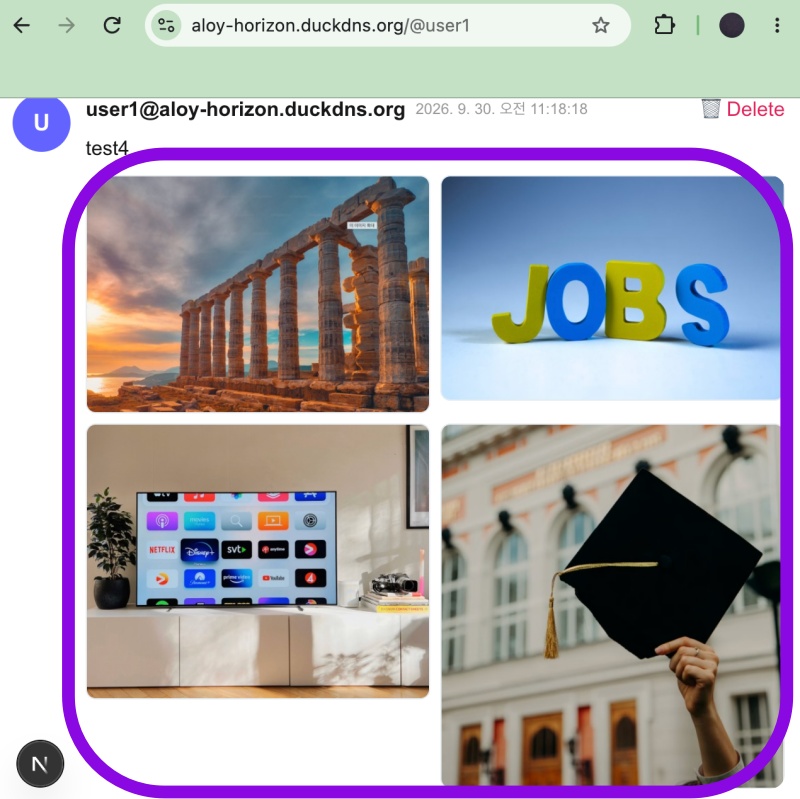
✔️ 리모트 서버 / Remote Server
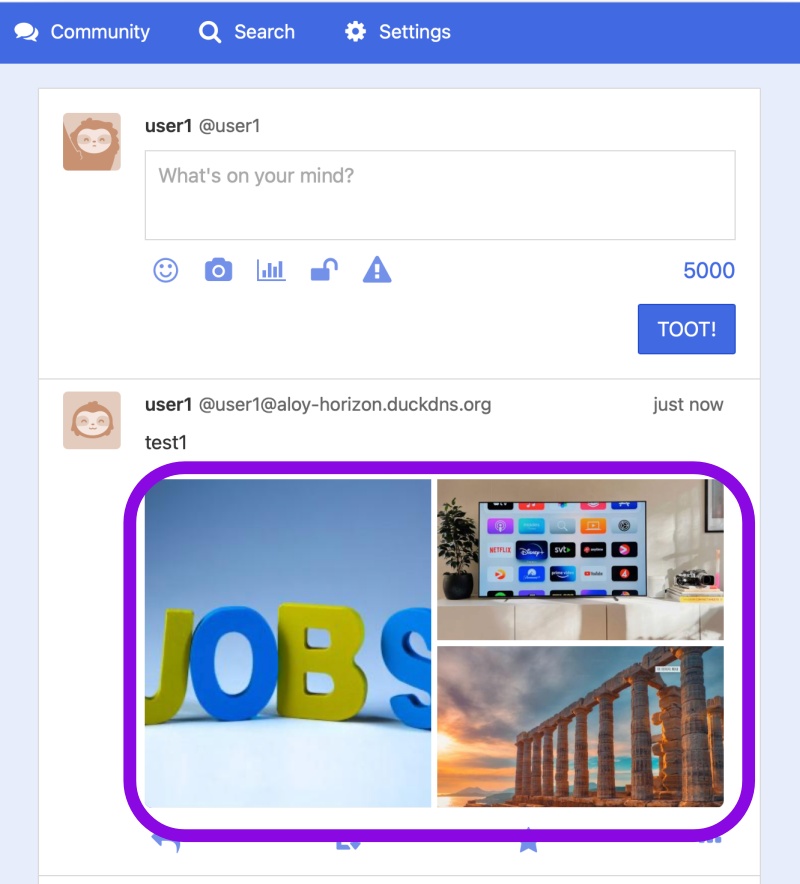
✔️ 로컬서버 / Local Server
✔️ 파일 업로드 용량 제한 / File upload size limit
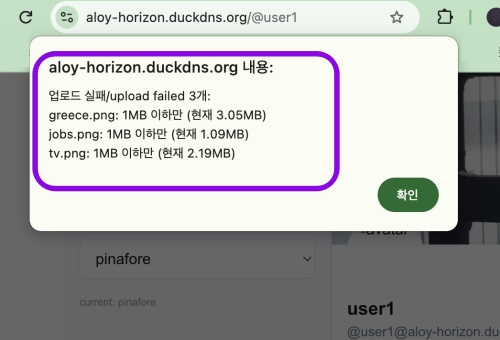
File upload size limit
✔️ 파일 업로드 수량 제한 / File upload quantity limit
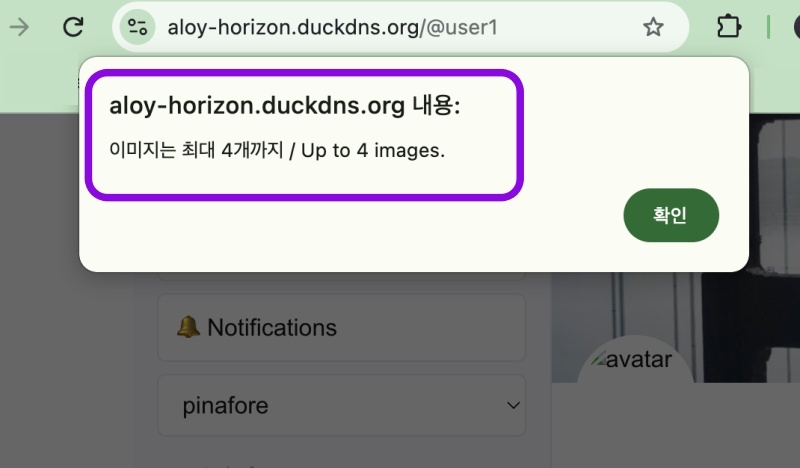
Quantity limit
요한복음 8장 32절 / John 8:32
“그리고 너희는 진리를 알게 될 것이며, 진리가 너희를 자유롭게 할 것이다.”
“Then you will know the truth ,and the truth will set you free”